
For those who love organizing life with lists - be it what to buy, remember, do, or pack - finding the perfect tool can be surprisingly challenging. Many apps either drown you in features or limit your flexibility.
What if you could have a lightweight list that gives you a simple start, and lets the structure emerge as you go?
Start fast, don’t think too much
Creating a list is intentionally simple:
- give it a name
- start typing
- press Enter to keep going
That’s it - no formatting decisions, no setup. Because in the moment you’re writing a list, the goal isn’t organization - it’s getting things out of your head while they’re still there.
Bring in lists from anywhere
Sometimes you already have a list - just not in the right place.
You can paste:
- plain text with line breaks
- formatted lists
- markdown checkboxes
And Marbles will automatically turn them into list items.
Let structure appear later
Most tools assume you know the structure upfront. In reality, structure usually appears while you’re working.
Lists in Marbles are flexible - you can:
- drag and reorder items within a list
- move items between lists
- select multiple items and turn them into a new list
This is where things start to click.
You begin with something simple:
“things to pack”
Then halfway through, you realize:
- some things need to be bought
- some are stored somewhere else
- some belong together
Instead of starting over, you just branch out - pull those items out, create a new list and keep going with 2 lists
Your structure evolves naturally:
- “To pack”
- “To buy”
- “To pick up”
- or even categories like clothes, gear, food
No planning required upfront.
One list can become many (without friction)
This is where lists become more than checkboxes.
They become a way to shape thinking over time.
A single messy list can turn into:
- multiple focused lists
- grouped categories
- clearer next steps
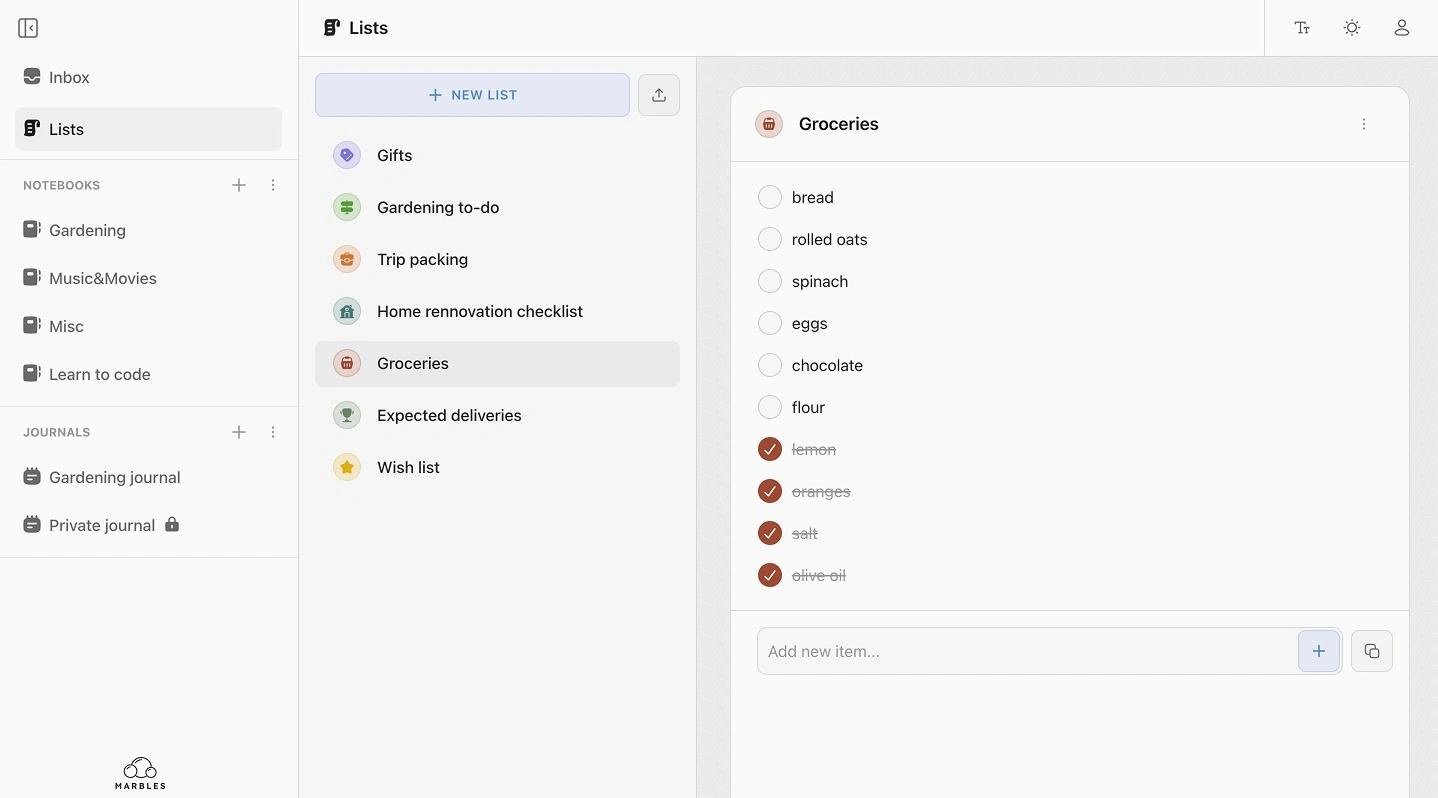
Each list can have an icon and a color - simple visual cues that help you recognize things quickly, without adding complexity.
What’s coming next
Lists will gradually support more ways to add structure - but only when you need it.
You’ll be able to:
- assign due dates to items
- tag items (e.g. important, urgent, hard)
- build your own way of prioritizing
And for completed items:
- keep them where they are
- or move them into a separate “Done” section
So your list can either stay as a full record or stay focused on what’s left
The idea behind it
Lists in Marbles are meant to support a simple flow:
- start quickly
- adjust as you go
- structure only what matters
You need a list that doesn’t slow you down while your thinking is still forming.